

Exporting a run sheet PDF
Once an event’s brief, timeline, and shot lists are in shape, you can export a run sheet to print or send to clients and crew.
Exporting
Section titled “Exporting”- Open the event and select Export
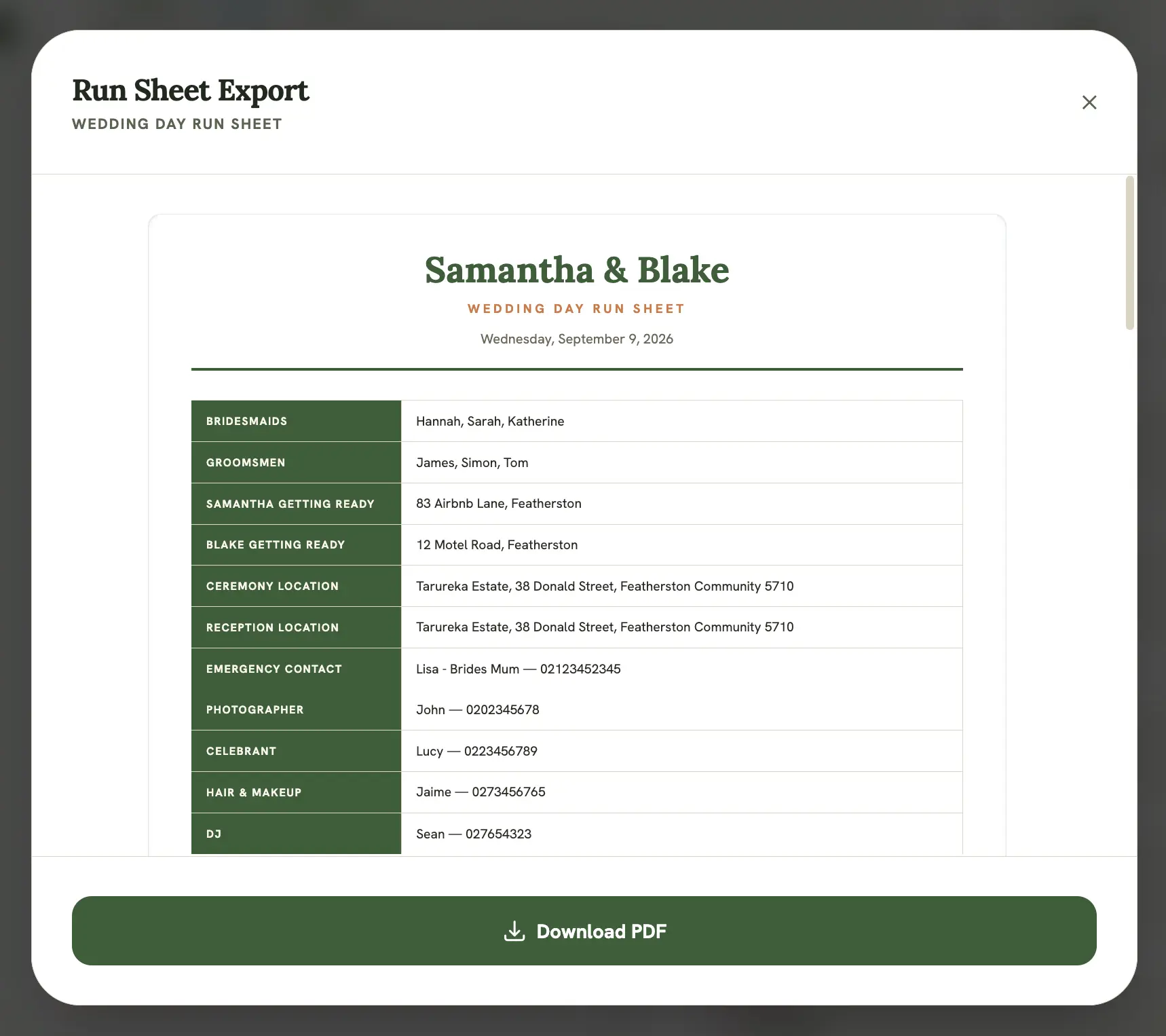
- Review the generated run sheet preview
- Select Download PDF to save it as a file
The PDF filename is based on the event’s title (e.g. wolf-river-wedding.pdf).
Category-aware formatting
Section titled “Category-aware formatting”The export is category-aware, so sections and formatting adjust based on the event’s category and type. A wedding run sheet (partner names, ceremony/reception locations, wedding party) and a commercial shoot’s run sheet (client contact, deliverables) don’t come out looking identical.
Branding
Section titled “Branding”The run sheet only shows a footer when you’ve set a company name or footer text under Brand in Settings. With no branding set, there’s no footer line at all.