

Plans & billing
MyArvo runs on a subscription. The Subscription card in Settings shows which plan you’re on and is where you upgrade, switch plans, cancel, or update your card.
The plans
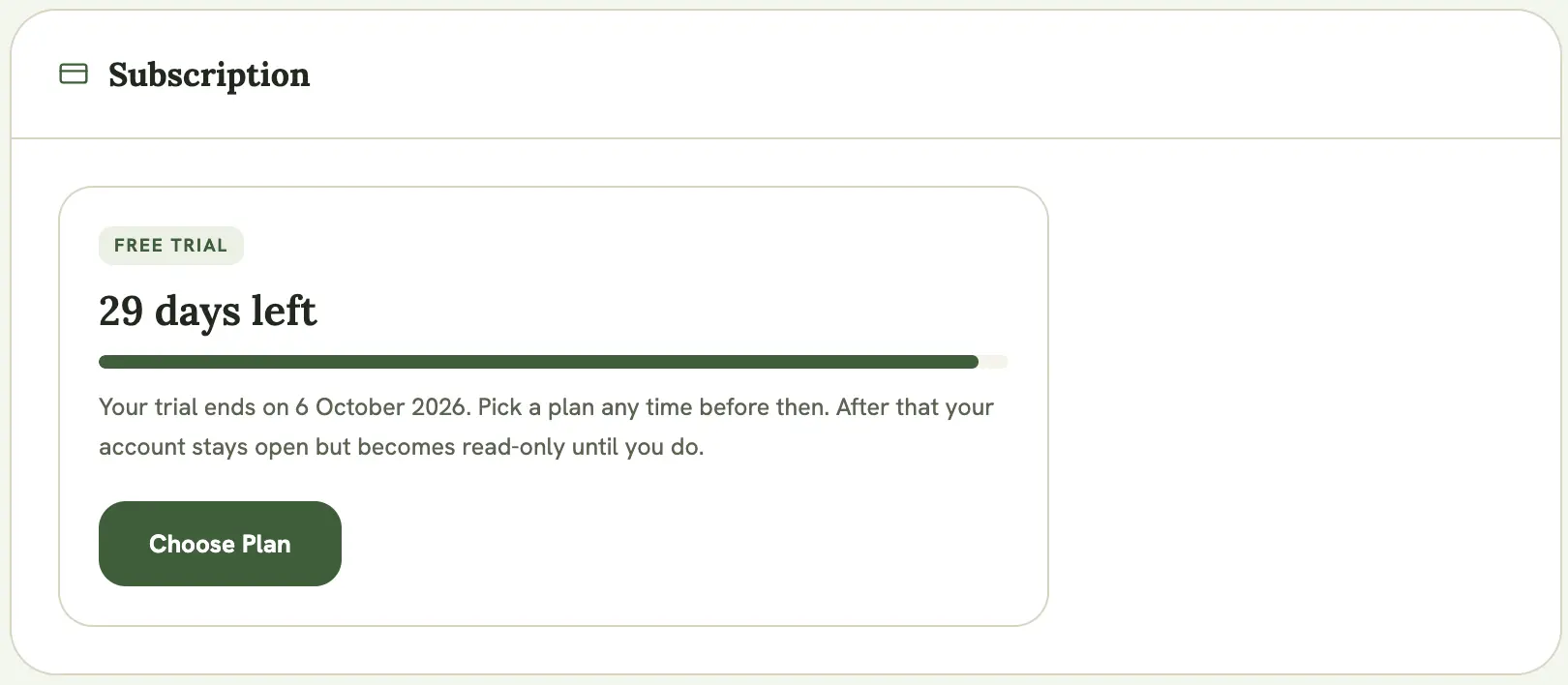
Section titled “The plans”- Free trial: 30 days with full Pro access, starting when you create your account. No card required. When the trial ends your account stays open but becomes read-only until you pick a plan.
- Free: read-only. You can view every event you own or that’s been shared with you, tick off items on a formal shot list, and export your data, but you can’t create or edit events, and gear inventory, checklists, and the pose library are locked.
- Gear: everything Free has, plus full gear inventory and packing checklist management — add, edit, and delete gear, and create and manage checklists. Event creation and editing, and the pose library, stay locked, same as Free.
- Pro: the full plan for working photographers. Unlimited events and full editing, public event pages and run sheets, gear inventory, packing checklists, the pose library, scheduled reminders, and the calendar feed.
Gear and Pro are billed monthly through Stripe. Check current pricing live at Settings → Subscription.
What a Free (read-only) account can still do
Section titled “What a Free (read-only) account can still do”Nothing is ever deleted when you drop to Free. You keep full access to view everything, and you can still:
- Open every event you own or that’s been shared with you
- Accept, decline, or leave a collaboration invite
- Tick off items on a formal shot list
- Export your gear and events data from Settings
You can’t create or edit events, gear, checklists, poses, content posts, or shares until you upgrade. Create buttons stay visible but are disabled, with a note explaining why.
Trial and billing reminders
Section titled “Trial and billing reminders”A banner appears under the page header when your account needs attention:
- In the last week of your trial, a reminder with the end date
- If a card payment fails, everything keeps working for 3 more days while Stripe retries; the banner links straight to updating your card
- Once a trial has ended or a subscription has fully lapsed, a read-only notice with a link to choose a plan
The banner stays silent on a healthy Gear or Pro subscription.
Choosing or changing a plan
Section titled “Choosing or changing a plan”- Open Settings and go to the Subscription card (or select Choose a plan on any plan banner)
- Select Choose Plan. All three tiers are shown side by side, each with a button matching whatever change is available from your current plan
- What happens next depends on the move:
- Free → Gear or Pro: goes through Stripe Checkout as normal — enter your card details, and the subscription starts immediately. Your card details never touch MyArvo.
- Gear ↔ Pro: switches instantly in place, with no checkout redirect. You confirm the change first, then the plan swaps and billing is prorated for the days left in your current cycle — see below.
- Gear or Pro → Free: cancels your paid subscription. You confirm first, then keep full access until the end of the period you’ve already paid for, and the account moves to Free after that. Nothing is deleted.
Switching between Gear and Pro mid-cycle
Section titled “Switching between Gear and Pro mid-cycle”Moving between the two paid plans doesn’t reset your billing cycle or charge you twice for the same days. Instead, MyArvo works out how many days are left until your renewal date and charges or credits you the difference right away.
Example: upgrading from Gear to Pro, switching 7 days into a 30-day cycle (23 days remaining), with Gear at $5/month and Pro at $10/month (use whatever the current prices are when you switch):
- You already paid $5 upfront for Gear, covering the full month
- You’re credited for the 23 unused days on Gear: $5 × (23/30) ≈ $3.83
- You’re charged for 23 days on Pro: $10 × (23/30) ≈ $7.67
- Net charge right away: $7.67 − $3.83 = $3.83
- Total for the month: $5 + $3.83 = $8.83 — covering 7 days of Gear followed by 23 days of Pro
- Your renewal date doesn’t move. Next cycle you’re billed the full Pro price for a full month, same as any Pro subscriber
Example: downgrading from Pro to Gear, same timing:
- You already paid $10 upfront for Pro
- You’re credited for the 23 unused days on Pro: $10 × (23/30) ≈ $7.67
- You’re charged for 23 days on Gear: $5 × (23/30) ≈ $3.83
- Net: $3.83 − $7.67 = a $3.83 credit rather than a charge
- Since there’s nothing to collect, no charge happens. The $3.83 is applied as account credit toward your next invoice, so next month’s Gear renewal is discounted to $5 − $3.83 = $1.17 instead of the full $5
In short: switching mid-cycle is always a fair trade. You’re never charged twice for the same days, and any leftover credit rolls forward to reduce your next bill.
Managing an active subscription
Section titled “Managing an active subscription”From the Subscription card you can:
- Edit Billing: opens the Stripe billing portal to update your card, view invoices, or change billing details
- Cancel my subscription: your paid plan stays active until the end of the period you’ve already paid for, then the account moves to Free. Nothing is deleted.
- Resume subscription: if you’ve cancelled but the paid period hasn’t ended yet, you can turn it back on with no interruption
Billing messages (a failed cancel, a confirmed change) show inside the Subscription card itself, not at the top of the page.
On mobile
Section titled “On mobile”The mobile Settings index has its own Subscription row, so the plan card is reachable the same way as on desktop.